Item drops
Navigation: Configuration → Item drops — route /edit-item-drops
Drops are spread over many places of the configuration: drop item groups on maps and monsters, the drops of boxes on the item definitions, the drop levels of the items, the option chances and a few general settings. This page brings all of them together, so you don't have to walk through the generic edit pages.
Each part of the page is a section which can be expanded and collapsed. The search box at the top filters all sections at once — by the name of a map, monster, item or drop group. Save changes and Discard changes are at the top and at the bottom of the page; if you try to leave the page with unsaved changes, you are asked to confirm.
Like all configuration data, the drops are loaded when a game server starts. After saving, use Reload configuration and restart all game servers on the Servers page.
How drops are determined
When a monster is killed, the server collects the drop item groups which apply to it:
- the groups of the monster itself,
- the groups of the map it was killed on, but only those whose monster level range includes the level of the monster, and whose only for monster restriction (if set) matches,
- the groups of active quests of the killer (or the party).
Destructible objects only use their own groups.
A monster then rolls up to its maximum item drops times:
- Groups with a chance of 100 % drop always; each of them uses up one roll.
- For the remaining rolls, one of the other groups is selected by its chance. The chances are added up: with 50 % money, 30 % random items and 0.01 % excellent items, a roll results in money half of the time, and in nothing 19.99 % of the time. If the chances add up to more than 100 %, they are scaled down proportionally, and there is no chance of dropping nothing.
What exactly drops for a selected group depends on its possible items and its type: if the group has possible items, one of them drops. Otherwise, it's a random item which fits to the monster level, a random excellent or ancient item, or money — the amount of money is the experience the monster gave, plus 7.
Sections
General settings
The settings of the game configuration which affect all drops:
| Setting | Meaning |
|---|---|
| Drop money | Whether monsters drop money on the ground, or add it to the inventory of the killer directly |
| Item drop duration | How many seconds a dropped item stays on the ground |
| Maximum item option level | The highest item option level (+4, +8, +12, +16) a dropped item can get |
| Excellent item drop level delta | How many levels a monster must be above the drop level of an item, so that it can drop as excellent item |
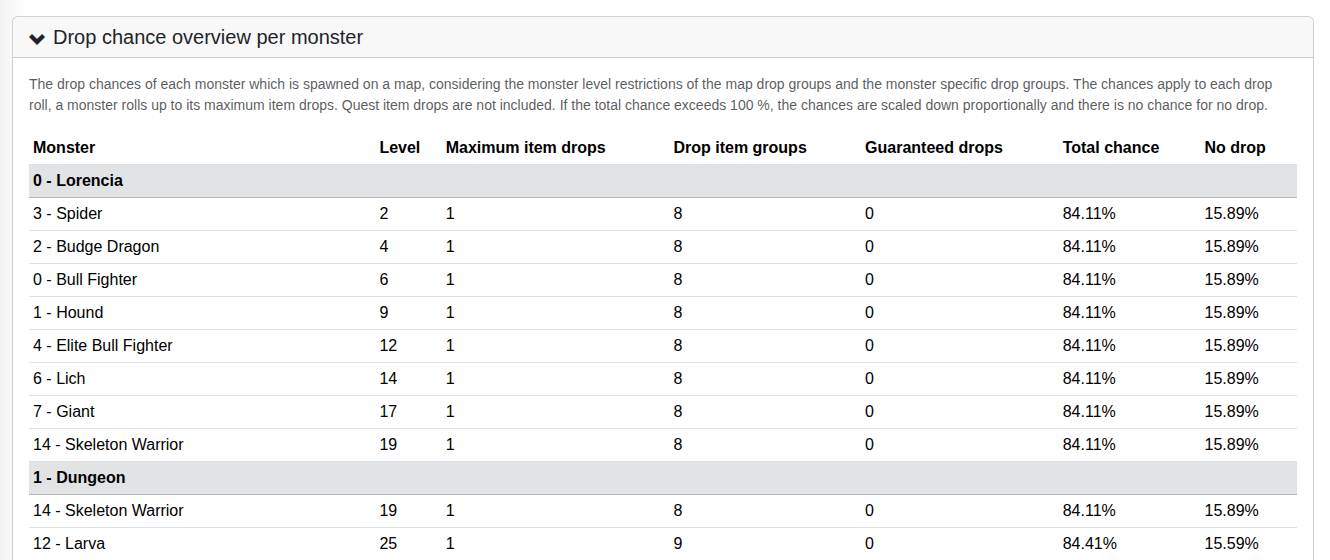
Drop chance overview per monster
A read-only overview which shows, for each map, the monsters which spawn there (taken from the monster spawn areas), and which drop groups apply to them, following the rules above:
| Column | Meaning |
|---|---|
| Level | The level of the monster, which decides which map groups apply |
| Maximum item drops | How many rolls the monster has |
| Drop item groups | The number of groups which apply — hover over it to see their names and chances |
| Guaranteed drops | The number of groups with a chance of 100 % |
| Total chance | The sum of the chances of all other groups, per roll. It's shown in red when it exceeds 100 %. |
| No drop | The chance that a roll results in nothing |
Quest item drops are not included, because they depend on the player.
Map drop groups
The drop groups which apply to the monsters of the maps they are assigned to, including the common money, random item and excellent item groups.
Each group is one row, where you can edit:
| Field | Meaning |
|---|---|
| Description | The name of the group |
| Type | What drops: Money, RandomItem, Excellent, Ancient, SocketItem, Jewel, or None for one of the possible items |
| Chance (%) | The chance of the group to be selected in a roll, from 0 to 100 % |
| Item level | The level of the dropped item. When empty, random items get a level which fits to the monster level, and the possible items drop at +0. |
| Min./Max. monster level | The level range of monsters this group applies to. Empty means no limit. |
The possible items are listed in a second row below each group. The ▾ button opens the details, where you can select the possible items, the assigned maps (with buttons to assign the group to all maps or remove it from all maps), and restrict the group to a single monster (only for monster). If no items are selected, random items are dropped depending on the type and the monster level. The possible items of a map group are additionally filtered by the monster level, so that e.g. a high level item doesn't drop from a low level monster.
A group which isn't assigned to any map doesn't drop anywhere. Add drop item group creates a new one, the 🗑 button deletes a group.
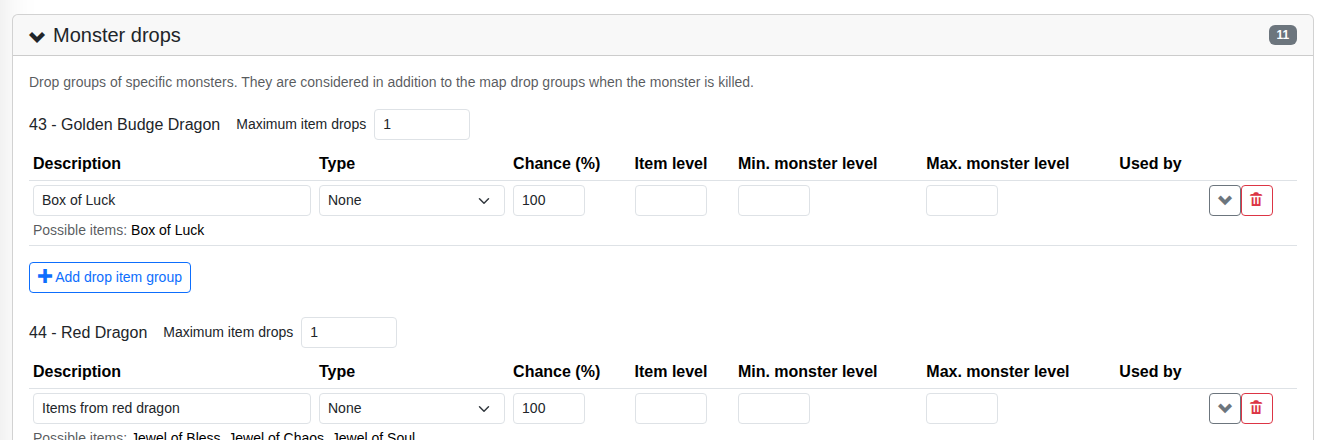
Monster drops
The drop groups of specific monsters — for example bosses or golden monsters. Each monster is shown with its maximum item drops and its groups, which are edited like the map drop groups. They apply in addition to the map drop groups.
To add drops to a monster which has none yet, select it at the bottom of the section and click Add drop item group. Removing a group from a monster deletes the group, if nothing else uses it.
Quest and event drop groups
Drop groups which are used by quest item requirements or as mini game rewards. The Used by column shows where. They can be edited here, but not deleted, as long as they are used.
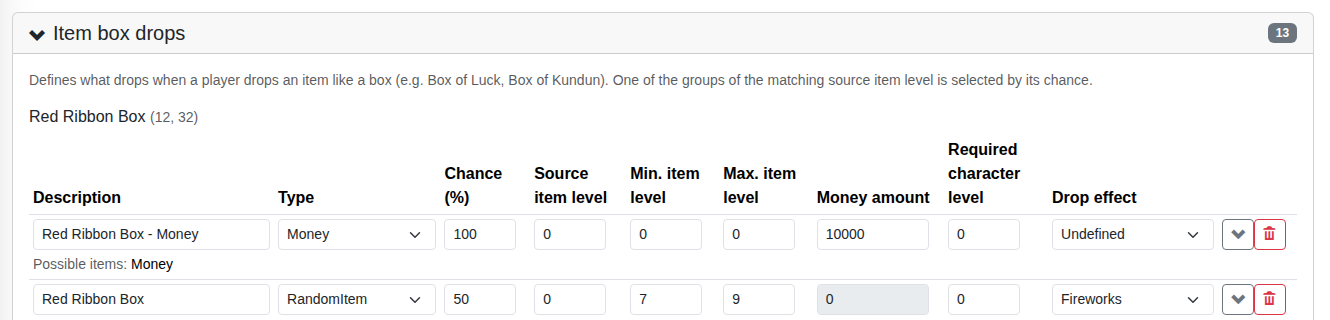
Item box drops
What drops when a player drops an item like a Box of Luck or a Box of Kundun. For each such item, one of its groups with the matching source item level is selected by its chance. In addition to the fields of the map drop groups, a group has:
| Field | Meaning |
|---|---|
| Source item level | The level of the box this group applies to, e.g. Box of Kundun +3 |
| Min./Max. item level | The level range of the dropped item |
| Money amount | The amount of money, for groups of type Money |
| Required character level | The minimum level of the character who drops the box. If the character is below the required level of any of the matching groups, the box can't be dropped at all. |
| Drop effect | The effect which is shown in the game client, e.g. fireworks |
To add drops to an item which has none yet, select it at the bottom of the section and click Add drop item group.
Randomly dropped items
Which items can drop as random items (by the groups of type RandomItem,
Excellent and so on), and at which monster levels:
| Field | Meaning |
|---|---|
| Drops from monsters | Whether the item is dropped randomly at all |
| Drop level | The minimum monster level at which the item drops |
| Maximum drop level | The maximum monster level at which the item drops. Empty means no limit. |
Use Show only items which drop from monsters to hide all others.
Item option chances
The chances that options are added to a dropped item — luck, the normal item option and the excellent options:
| Field | Meaning |
|---|---|
| Adds randomly | Whether the option is added randomly to dropped items at all. Excellent options are only added to excellent items. |
| Add chance (%) | The chance that the option is added |
| Maximum options per item | For options with several possibilities, like the excellent options: how many of them an item can get at most |